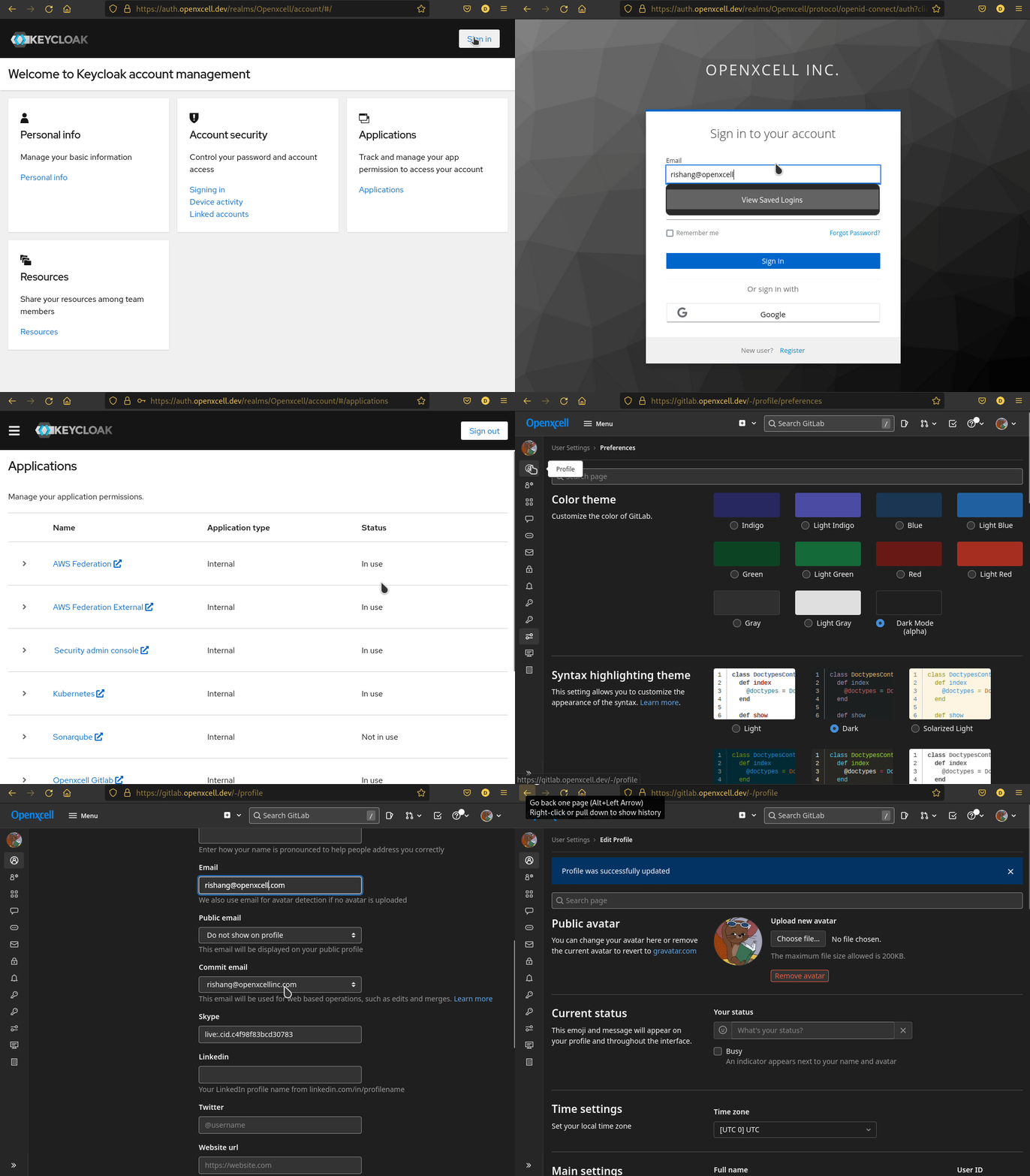
Fixes for new email of your existing account
If your email has been changes, example: user@openxcellinc.com -> user@openxcell.com then here are the steps in order to set you new email, for gitlab and other service having KeyCloak SSO.
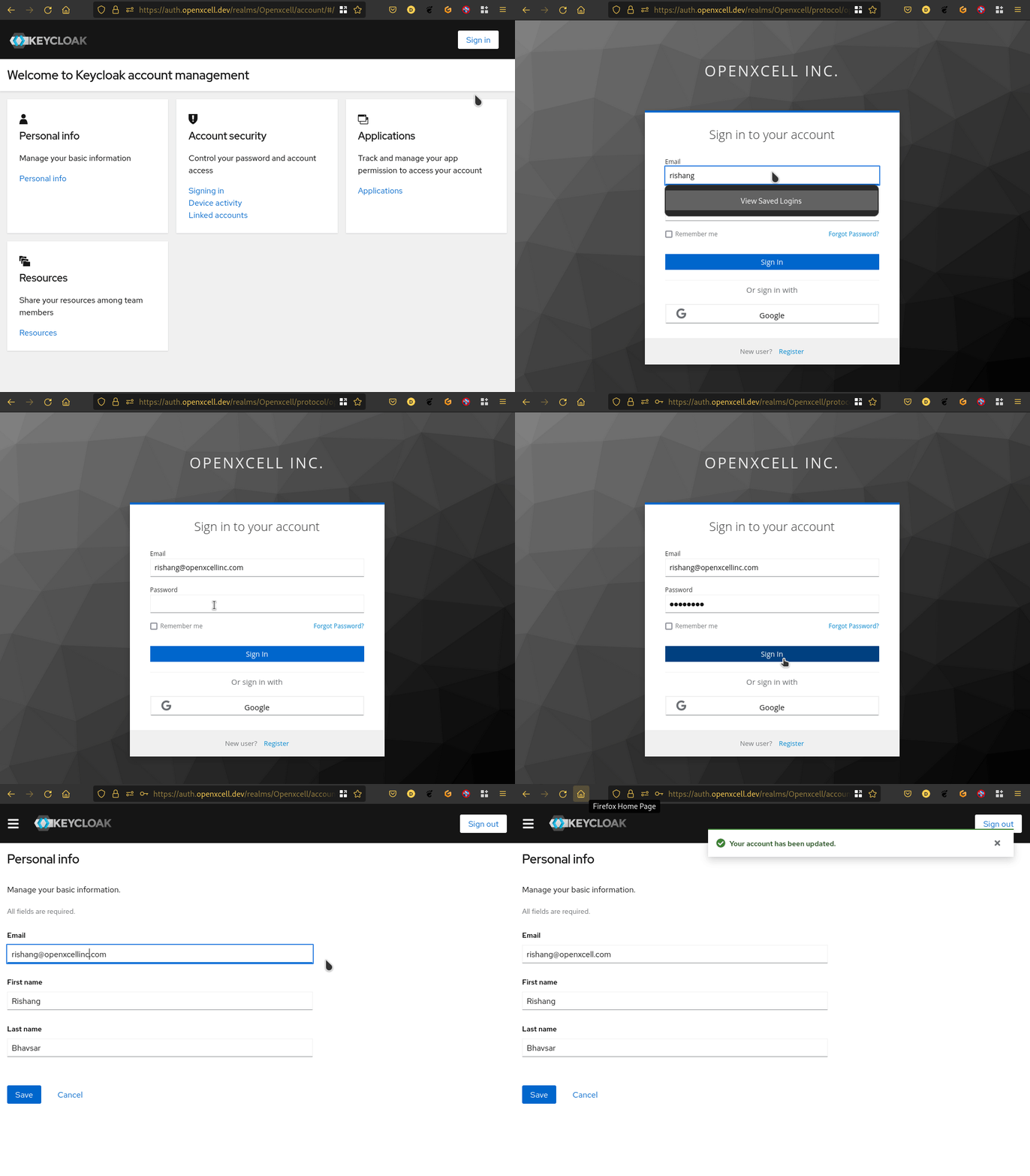
Step 1 Update KeyCloak Email
Sign-in to your keycloak account console Click Here.
Login with your old email to keycloak.
Update your email to new one in personal info panel.
Step 2 Update Gitlab Profile Email
After completing Step 1, Open Gitlab and Sign in with Openxcell SSO(keycloak).
Update your Email and Primary Email in your Gitlab Profile to your new email.