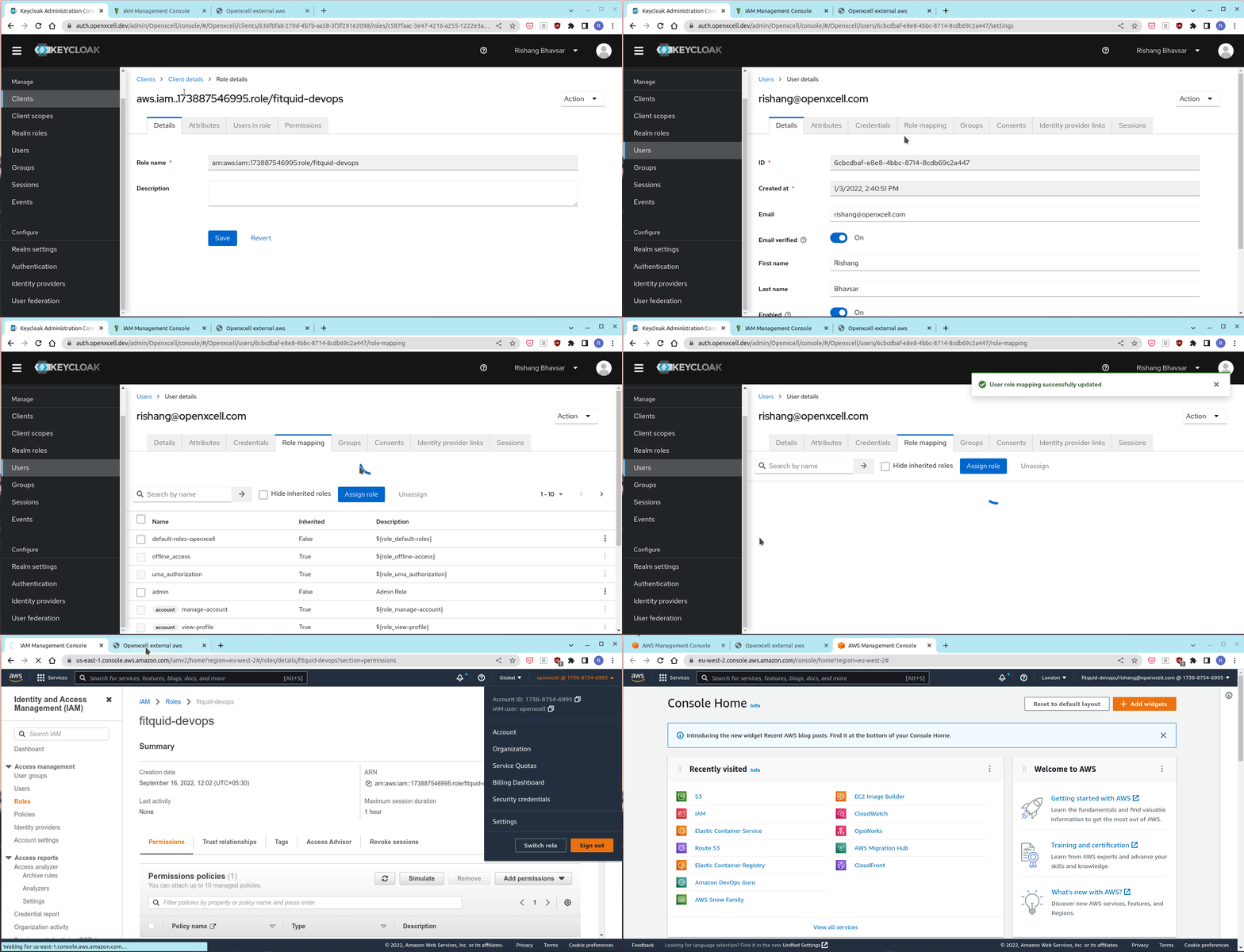
Aws Role base access control for external clients using openid-connect via keycloak
Step 1: Add aws oidc provider
Login to aws account where role has to be created.
Go to IAM -> Identity providers and add
https://auth.openxcell.dev/realms/Openxcellas provider.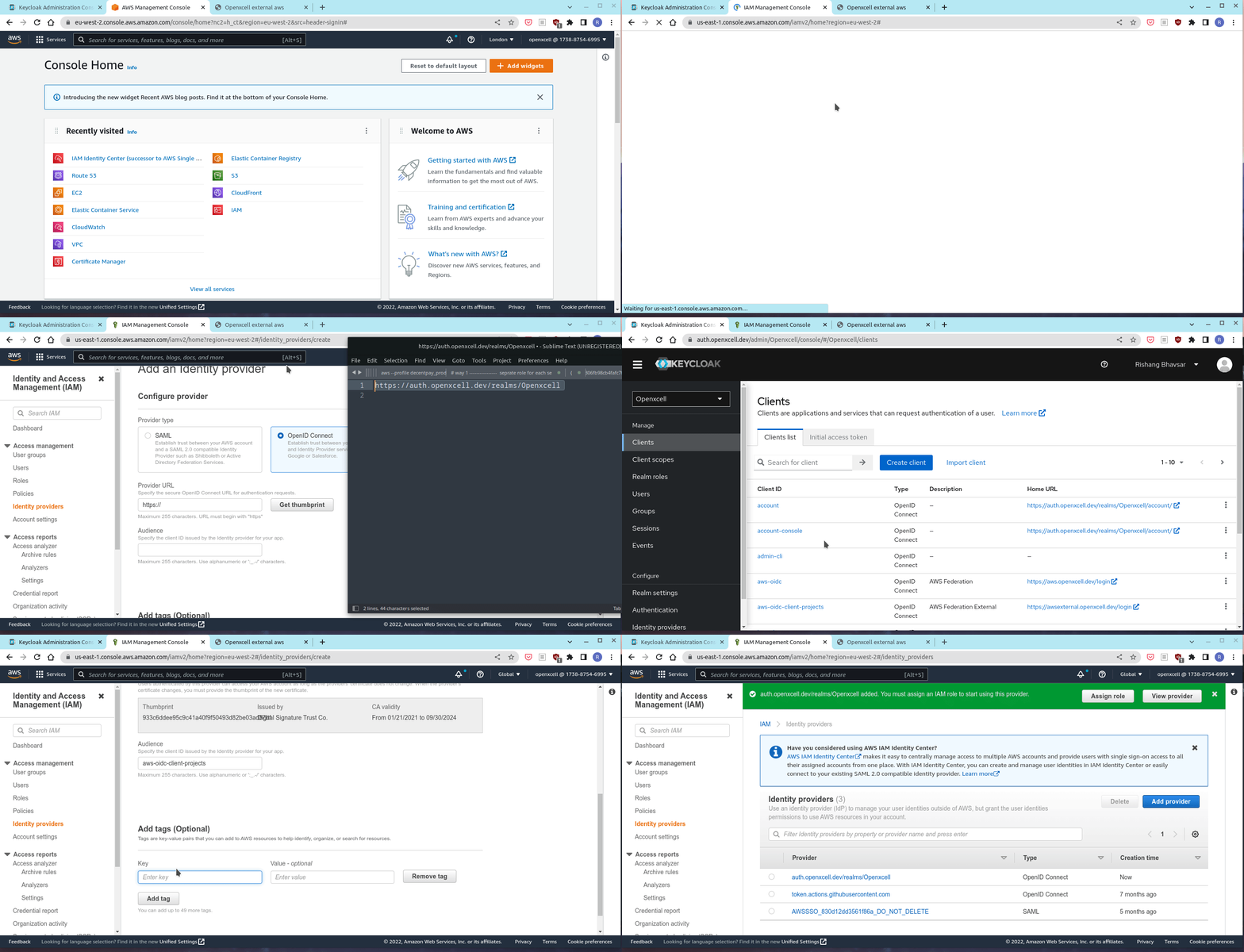
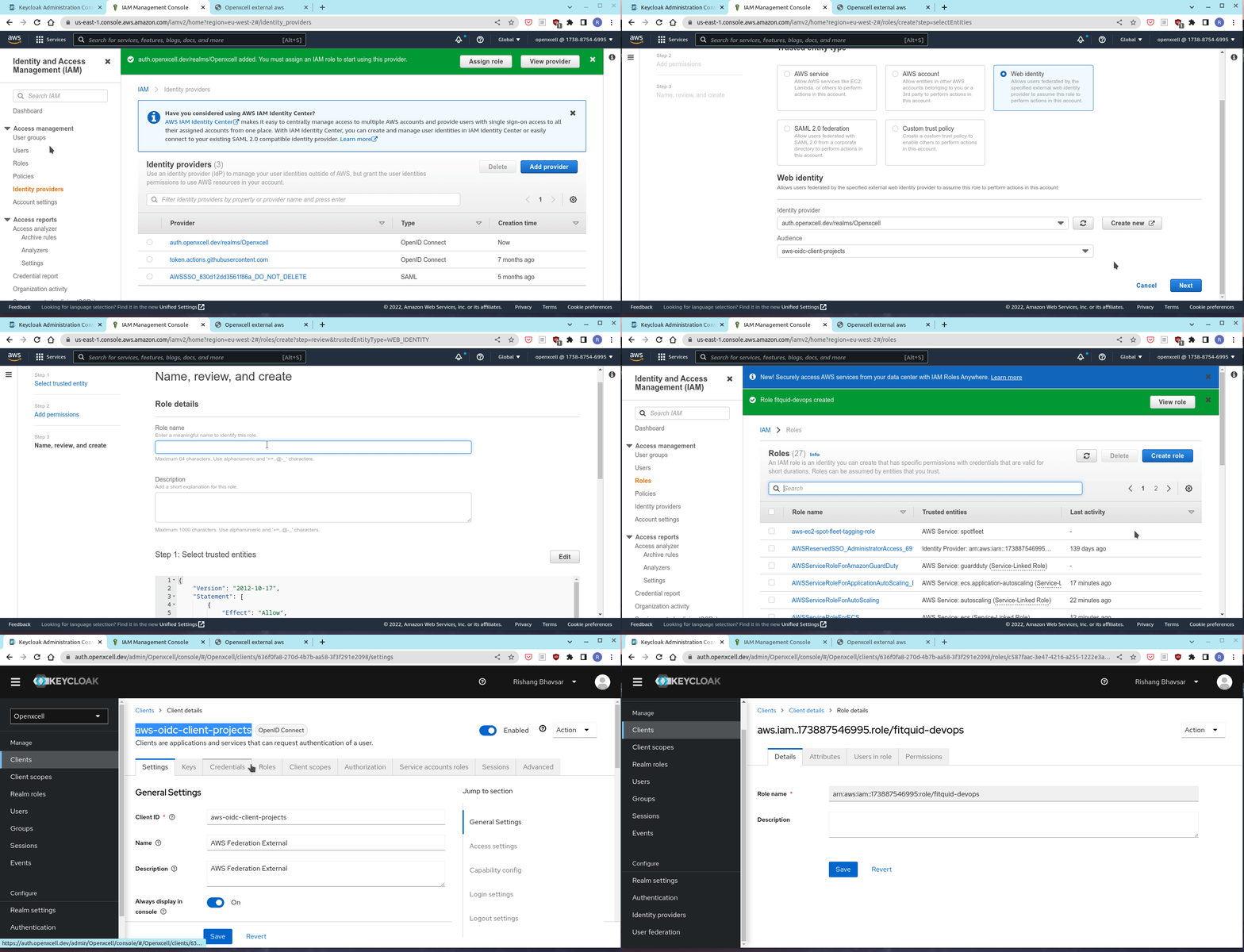
Step 2: Assign role with created provider
After creating provider add role which has to assign user, with appropriate policies. and keep project name as prefix in role name
- Example:
fitquid-admin:[ProjectName]-[RoleName]
- Example:
Note: Not providing name with prefix can lead to confusion while selecting role in aws broker console so please make shure you provide prefix.
After creating IAM role, add IAM role arn to keycloak client roles
Step 3: Assign keycloak client role to user
Assign role you created in keycloak client, to user
Login to aws broker
https://awsexternal.openxcell.devand you will see you new assigned role over there frome which you can access aws.